Introducing Loss Radar: see which shift cost you money.Learn more

Automation

Invoice OCR & vendor management

Drop a PDF. Line items, prices, vendors. Done.

Invoice OCR & vendor management · Live viewLive

Operating rules

01

AI line-item extraction (Core-Mark, Eby-Brown, McLane formats covered)

02

Auto-flag price increases per SKU against prior invoices

03

One-time vendor setup; quantity and price mismatches flagged on every import

04

QuickBooks Online & Desktop export, plus Quicken

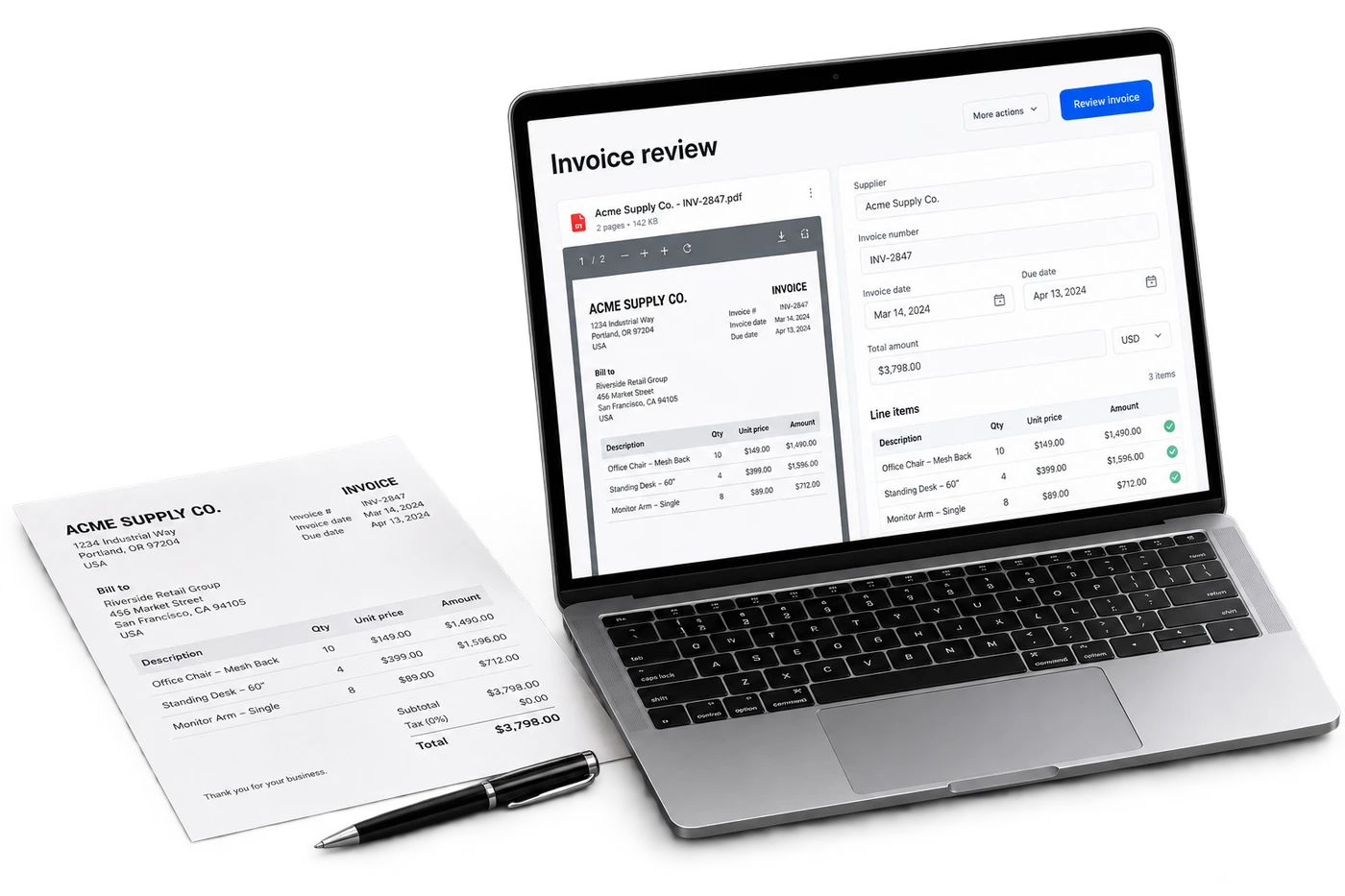
Invoice OCR ingests a PDF or phone photo of a vendor invoice and extracts every line: vendor, SKU, quantity, cost, totals. It matches each SKU to your pricebook, flags any cost increase against the prior invoice from the same vendor, and posts the approved entry to QuickBooks. Core-Mark, Eby-Brown, McLane, and most regional DSD vendor formats are supported by default.

Invoice OCR & vendor management · Operating viewLive

Automation

Invoice OCR & vendor management

Drop a PDF. Line items, prices, vendors. Done.

01

AI line-item extraction (Core-Mark, Eby-Brown, McLane formats covered)

02

Auto-flag price increases per SKU against prior invoices

03

One-time vendor setup; quantity and price mismatches flagged on every import

04

QuickBooks Online & Desktop export, plus Quicken

Live review

Morning operating brief

Open
CriticalException needs owner reviewNow
ReviewEvidence attached to action4 min
ReadyAudit trail savedDone

Assistant summary

Invoice OCR ingests a PDF or phone photo of a vendor invoice and extracts every line: vendor, SKU, quantity, cost, totals. It matches each SKU to your pricebook, flags any cost increase against the prior invoice from the same vendor, and posts the approved entry to QuickBooks. Core-Mark, Eby-Brown, McLane, and most regional DSD vendor formats are supported by default.

Overview

What it does.

Snap a photo or drop a PDF. The model extracts every line item, matches to your pricebook, flags price changes against the last invoice from the same vendor, and posts to QuickBooks. Re-scanning the same invoice updates the cascade downstream automatically.

  • AI line-item extraction (Core-Mark, Eby-Brown, McLane formats covered)
  • Auto-flag price increases per SKU against prior invoices
  • One-time vendor setup; quantity and price mismatches flagged on every import
  • QuickBooks Online & Desktop export, plus Quicken
  • Clerk-friendly mobile capture. 30 seconds end-to-end

Questions

FAQs

How accurate is the line-item extraction?

For known DSD formats (Core-Mark, Eby-Brown, McLane, Big Geyser, Coca-Cola, Pepsi) we average above 98% line-level accuracy. For unknown vendors the first invoice trains the format; accuracy hits 98% by the third invoice from that vendor. Every line is human-reviewable in the queue before posting.

What happens when a vendor raises prices?

Every line is compared against the most recent invoice from the same vendor. Cost increases above a configurable threshold (default 5%) are flagged in the review queue. Operators see "Marlboro Box cost up $0.18 vs last invoice" before approval, so you can negotiate instead of absorb.

Does it work for tobacco invoices?

Yes, and especially well. Tobacco invoices have the highest line-item density (often 40 to 60 SKUs) and the most cost volatility, so the price-change flagging is most useful here. We handle Altria, RJR, ITG, and the major regional tobacco distributors.

How does QuickBooks posting work?

After approval, the invoice posts as a Vendor Bill in QuickBooks with line items mapped to the inventory items you set up (one-time mapping per SKU). Total, vendor, date, and reference number all flow over. You don't hand-type anything in QB.

Want to try Invoice OCR & vendor management on your data?

A 30-minute demo. We'll set up a tenant with this feature wired to your operational shape and walk it live.