
gas station back office software
Gas station back office software for an AI operating team.
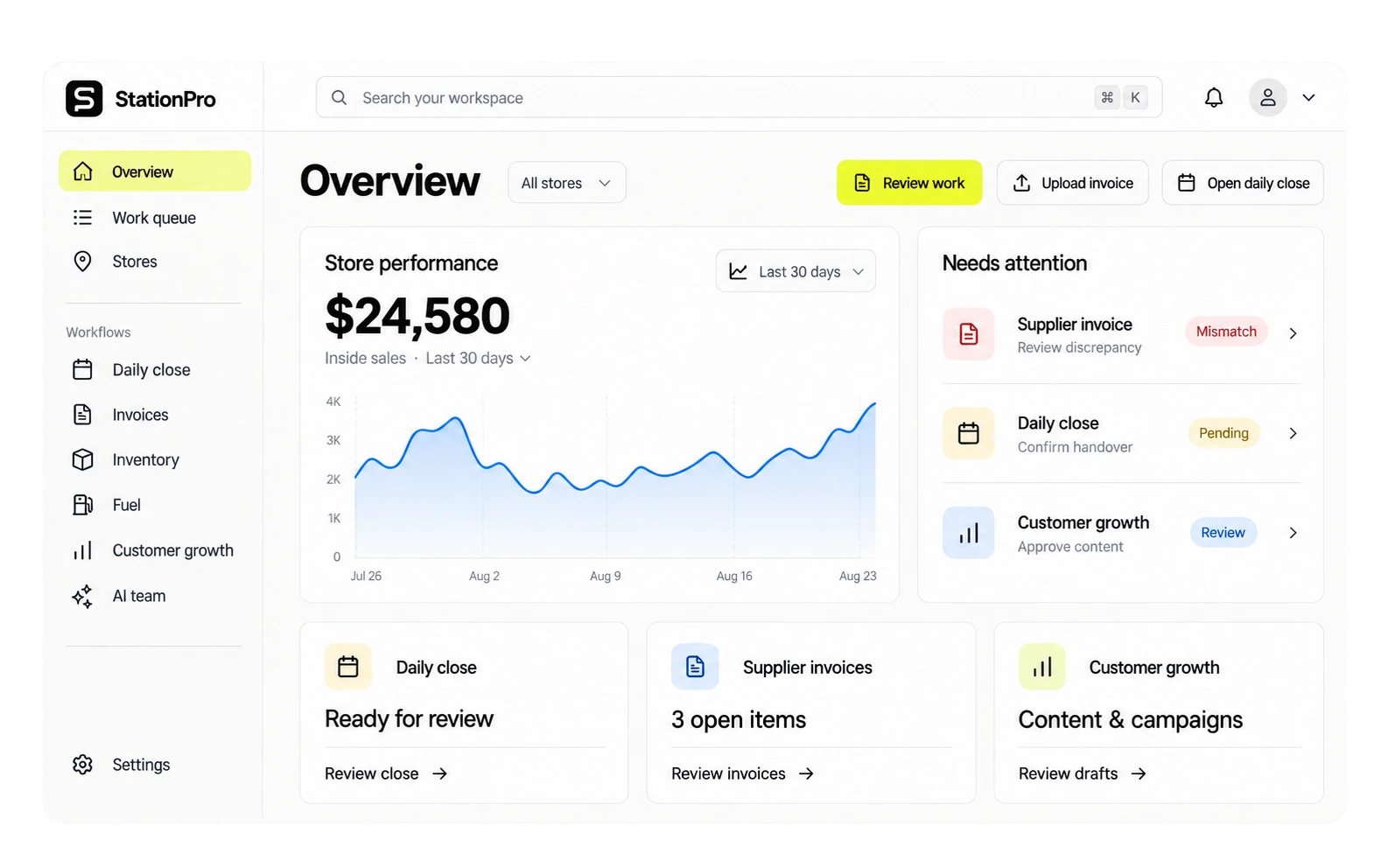
Who this is for
Owners and finance teams running independent gas stations or growing fuel retail groups.
Why the current workflow breaks.
Disconnected handoffs
The close, supplier paperwork and site messages can arrive through different systems. A useful workflow connects the records to a named person and a completed task.
Start with a job worth paying for
Name the buyer, measure the current effort and choose a result that can be checked against source records. A paid pilot should answer whether the workflow creates enough value to repeat.
The workflow
From the first record to the next action.
Agree on the records, owner rules and completed output. Validate the workflow with your stores before expanding.
- 01
Confirm the records
POS reports, close records, invoices and the relevant site notes. Validate access, completeness and the reporting period.
- 02
Agree the operating rules
Define approval limits, responsibilities and the point at which an unresolved issue is escalated.
- 03
Run the job
Choose the unresolved job and prepare the action with source evidence.
- 04
Review and expand
Measure active owner time, unresolved work and confirmed financial value. Compare with the baseline and total delivery cost before expanding.
Who uses this, and how.
One store or a small group
Start with a recurring task and the person responsible for it. Keep the first scope small enough to measure.
A regional or international network
Use representative sites and validate local systems, currency, language and reporting requirements before rollout.
Side by side
StationPro vs. the current manual handoff.
| Dimension | StationPro | The current manual handoff |
|---|---|---|
| Evidence | Source records stay with the scoped workflow | Confirm how records are collected and retained today |
| Responsibility | A named person and an agreed next step | Identify who currently owns follow-up |
| Value | A measured pilot outcome against its delivery cost | Record the current time, cost and unresolved work |
Questions, answered.
Can we keep our existing back office?
Yes. Start by identifying the work your current systems already handle well and the handoff that still requires attention. Scope StationPro around that job.
What records should we bring?
POS reports, close records, invoices and the relevant site notes. Use representative samples with sensitive information removed for the initial review.
What will the pilot measure?
Active owner time, unresolved work and confirmed financial value. Agree on the baseline, duration, price and responsible reviewer before starting.
Keep reading.
Related features
Loss Radar
Give every unexplained variance a next step.
Daily Close
Finish the day with a close you can explain.
Invoice and Margin
Take invoice exceptions through to a checked result.
Lottery Accountability
Know which books, tickets and settlements need a second look.
Fuel and Site Performance
Bring deliveries, sales and fuel margins into the same review.
Network Operations
Give every site a clear next action.
Tools and templates
Gas Station Daily Close Checklist
12-step checklist for closing a gas station or c-store the right way, every shift.
Cash Variance Calculator
Compute expected cash for a shift and identify variance in 30 seconds.
Lottery Shrink Calculator
Estimate weekly lottery shrink exposure given your pack volume and shrink rate.
From the blog
Loss attribution beats theft prevention.
Why the goal isn't to stop shrinkage at an independent station, it's to know who, when, and how. A field guide to building an attribution system instead of a security one.
Why independents shouldn't use ERP.
ERPs assume an IT team, a training budget, and a procurement cycle. Independent operators have none of those. The cost of that mismatch isn't the license, it's the operational ceiling.
EOD in 5 minutes.
A teardown of the daily-close process at a typical independent gas station, what takes 45 minutes today, why it takes that long, and how the same close can be done in five minutes without cutting corners.
Start with the job that matters most.
Choose one job, agree the fee and check the finished work. Start with a scoped paid sprint and expand when the results earn it.