Introducing Loss Radar: see which shift cost you money.Learn more

Reconciliation

Expense capture

Photo of a receipt becomes a categorized expense.

Expense capture · Live viewLive

Operating rules

01

Mobile receipt photo capture

02

Auto-categorization with confidence scoring

03

Approval queue with bulk-approve

04

QuickBooks sync; CSV export for outside accountants

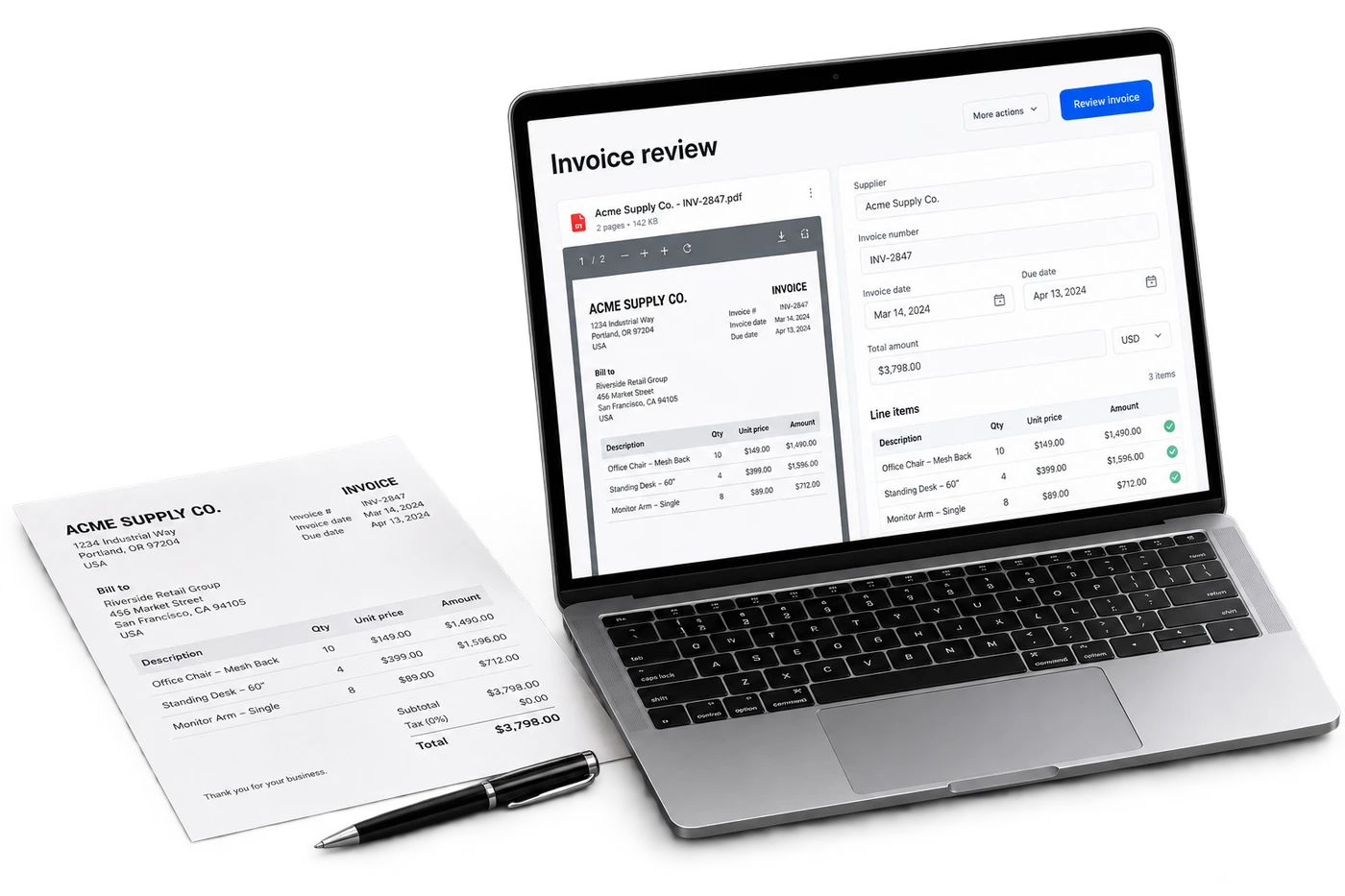
Expense capture turns a phone photo of a receipt into a categorized, approval-ready expense entry. Amount, vendor, date, and category are extracted; the entry posts to your accounting platform after one-tap owner approval. Clerks submit in the field; the back office sees a unified queue across all stores. Spend trends and category benchmarks are computed at the portfolio level.

Expense capture · Operating viewLive

Reconciliation

Expense capture

Photo of a receipt becomes a categorized expense.

01

Mobile receipt photo capture

02

Auto-categorization with confidence scoring

03

Approval queue with bulk-approve

04

QuickBooks sync; CSV export for outside accountants

Live review

Morning operating brief

Open
CriticalException needs owner reviewNow
ReviewEvidence attached to action4 min
ReadyAudit trail savedDone

Assistant summary

Expense capture turns a phone photo of a receipt into a categorized, approval-ready expense entry. Amount, vendor, date, and category are extracted; the entry posts to your accounting platform after one-tap owner approval. Clerks submit in the field; the back office sees a unified queue across all stores. Spend trends and category benchmarks are computed at the portfolio level.

Overview

What it does.

Clerks snap receipts in the field; the system extracts amount, vendor, date, and posts the entry to the right category. Owners review and approve in a unified queue.

  • Mobile receipt photo capture
  • Auto-categorization with confidence scoring
  • Approval queue with bulk-approve
  • QuickBooks sync; CSV export for outside accountants
  • Spend trends and category benchmarks across stores

Operator fit

Operators who lean on this most.

Expense capture is part of every StationPro deployment. These operator profiles tend to open it daily.

Questions

FAQs

What categories are recognized?

The standard chart of accounts for c-store operations: utilities, repairs & maintenance, supplies, payroll-adjacent, vehicle, freight, professional services. New categories can be added per tenant; the model adapts after 5 to 10 entries in the new category.

What about cash expenses?

Same flow. The clerk snaps the receipt, the system records it as a cash-paid expense, and it reduces the expected cash drawer at EOD automatically. No more "where'd the $40 go" mysteries at close.

Want to try Expense capture on your data?

A 30-minute demo. We'll set up a tenant with this feature wired to your operational shape and walk it live.