
Product 6 min read
Invoice OCR vs. manual entry, in dollars.
A working calculation for the labor savings, error reduction, and price-leak capture when you stop typing vendor invoices and start scanning them.
 StationPro Editorial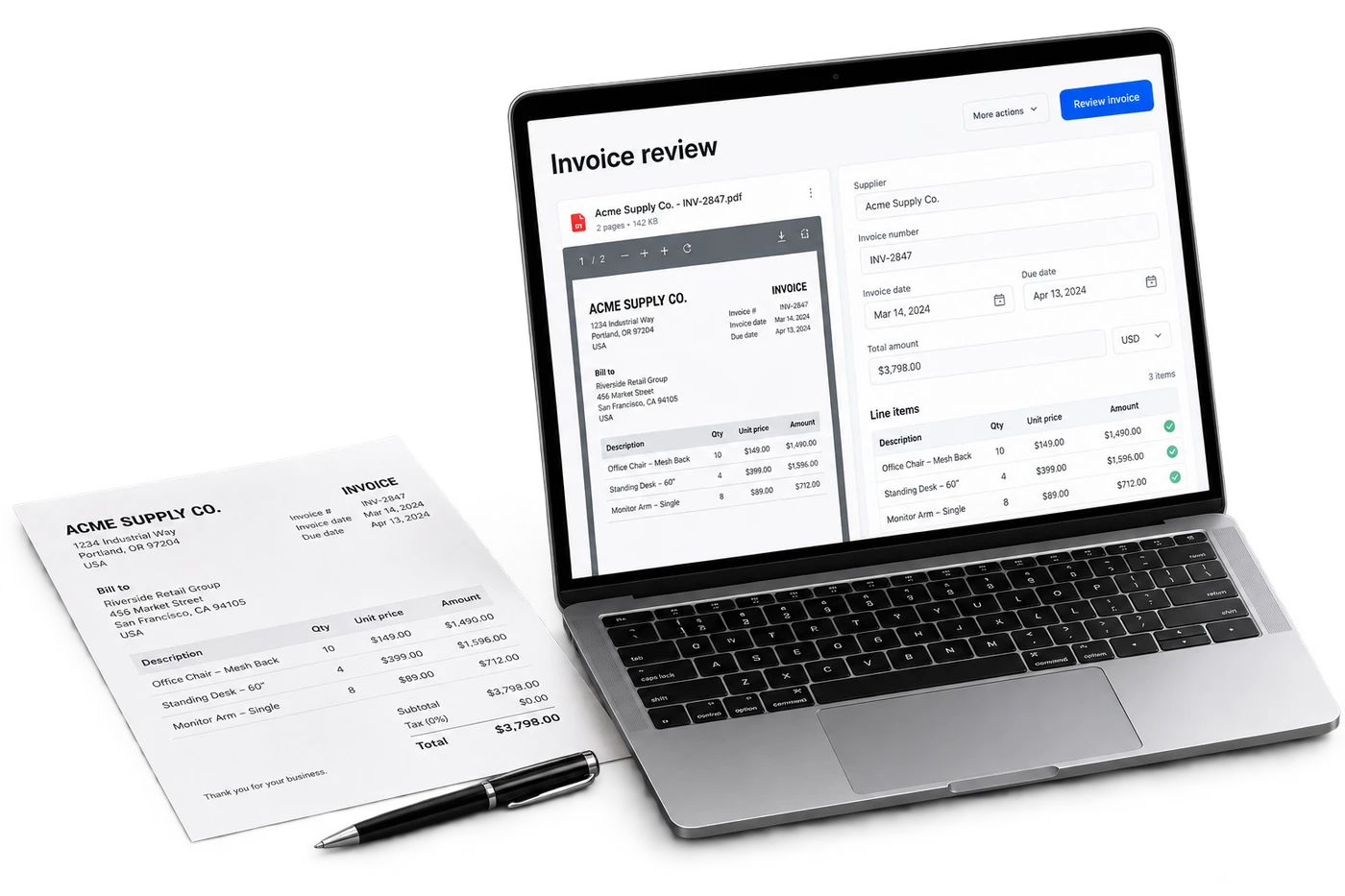
The manual baseline
Picture the typical Monday morning AP routine at an independent c-store:
- Manager opens the manila folder of last week's vendor invoices.
- For each invoice: hand-key vendor, date, invoice number, total, and (sometimes) line items into QuickBooks.
- For each line item: look up the SKU in the pricebook, check that the cost matches the prior invoice, flag mismatches for follow-up.
- File the paper copy in the vendor folder.
- Repeat next Monday.
At 4–7 minutes per invoice, 10 invoices per week per station, that's 40–70 minutes per station per week. Times 10 stations, that's a half-day of labor every week dedicated to typing.
Where manual entry actually costs more than labor
The labor cost is the visible cost. Three less-visible costs typically dwarf it:
- Price-change leakage. A distributor raises a unit price by $0.40 on a high-velocity SKU. Manual entry catches it eventually, but the gap between the price change and the retail re-price is typically 2–4 weeks. On a 50-unit/week SKU, that's $40–80 of margin lost per SKU per change. Across 200 high-velocity SKUs and 12 price changes per year per SKU, the cumulative leakage runs to thousands of dollars.
- Quantity-mismatch errors. Invoice says 24 units, delivery contained 22. Without line-item attention, the operator pays for 24 and stocks 22. The 8% of cases this happens in cost the operator real money.
- Late vendor payments. Invoices sit in the manila folder. The 30-day net term passes; the vendor charges a late fee or worse, pauses delivery. Even one missed delivery from a primary vendor can cost $1K+ in lost sales.
What AI OCR actually does
Three layers of work that the operator no longer does manually:
- Line-item extraction. The model reads every line on the invoice. SKU, description, unit cost, quantity, extended cost, and writes them as structured rows. Works on PDF invoices, scanned paper invoices (phone camera capture), and EDI feeds.
- Vendor matching. The vendor on the invoice is matched against your vendor master. New vendors trigger a setup flow; existing vendors auto-route.
- Price-change detection. Each line item's cost is compared against the prior invoice from the same vendor for the same SKU. Increases are flagged with the magnitude (absolute and percentage); decreases are noted but not blocked.
The 30-second flow
From operator perspective:
- Email arrives with vendor invoice PDF attached.
- Operator forwards to invoices@yourcompany.stationpro.ai (or drops in via the dashboard upload).
- Within 60 seconds, the invoice is parsed and a notification appears: “3 line items have price changes, review”.
- Operator opens the notification, sees the diff (prior cost vs. new cost), approves or rejects.
- Approved invoice is posted to QuickBooks. Pricebook updated where retail changes are needed.
Per-invoice operator time: ~30 seconds for verification, more for the cases that have price changes to review. The system does the typing.
What the accuracy actually looks like
On standard distributor formats (Core-Mark, Eby-Brown, McLane, Liberty USA, S. Abraham & Sons) the field-level extraction accuracy is 99%+ in 2026. On non-standard formats (regional vendors, hand-written invoices) accuracy drops to ~95%. Either way, the system surfaces confidence scores per field, so the operator only spends time on the rows the model flagged as uncertain, not on the 95% it's sure about.
The hidden bonus: searchable invoice history
Once every invoice is structured data, you can ask questions you couldn't ask before:
- “What did I pay for Marlboro Reds across all stations last quarter?”
- “Which vendor has raised prices most aggressively in the last year?”
- “Show me every invoice with a discount applied so I can audit the negotiation pattern.”
These questions used to require a multi-hour spreadsheet exercise. Now they're a one-line query to the AI Assistant.
Frequently asked questions
What invoice formats does StationPro support?
What's the accuracy on Core-Mark / Eby-Brown / McLane invoices?
How does the price-change detection work?
Can I keep using my existing AP workflow?
Sources & methodology
This article is an operational guide. Examples and calculations are illustrative unless a source is explicitly identified. Confirm current requirements and system capabilities for your own locations before acting. Questions or corrections. talk to the team.
StationPro Editorial
The StationPro team writes about store operations, finance workflows and AI. Customer evidence is identified explicitly when it is available.
Keep reading
EOD in 5 minutes.
A teardown of the daily-close process at a typical independent gas station, what takes 45 minutes today, why it takes that long, and how the same close can be done in five minutes without cutting corners.
Gas station exception reporting: how owners find the stores that need attention.
Exception reporting tags every event against the store's own baseline and surfaces only what's anomalous. Cash, lottery, fuel margin, inventory, expenses, deposits, explained with the daily review workflow that compresses 400 data points into 5–15 actionable flags.
Gas station camera integration: tying CCTV events to cash and lottery.
Cameras show what happened; back-office data shows the dollar exposure. The integration pattern that links a flagged variance event to the matching CCTV clip, Verkada, Solink, March Networks, Hanwha API options.